More Than a Chatbox: Designing AI for How Government Actually Works

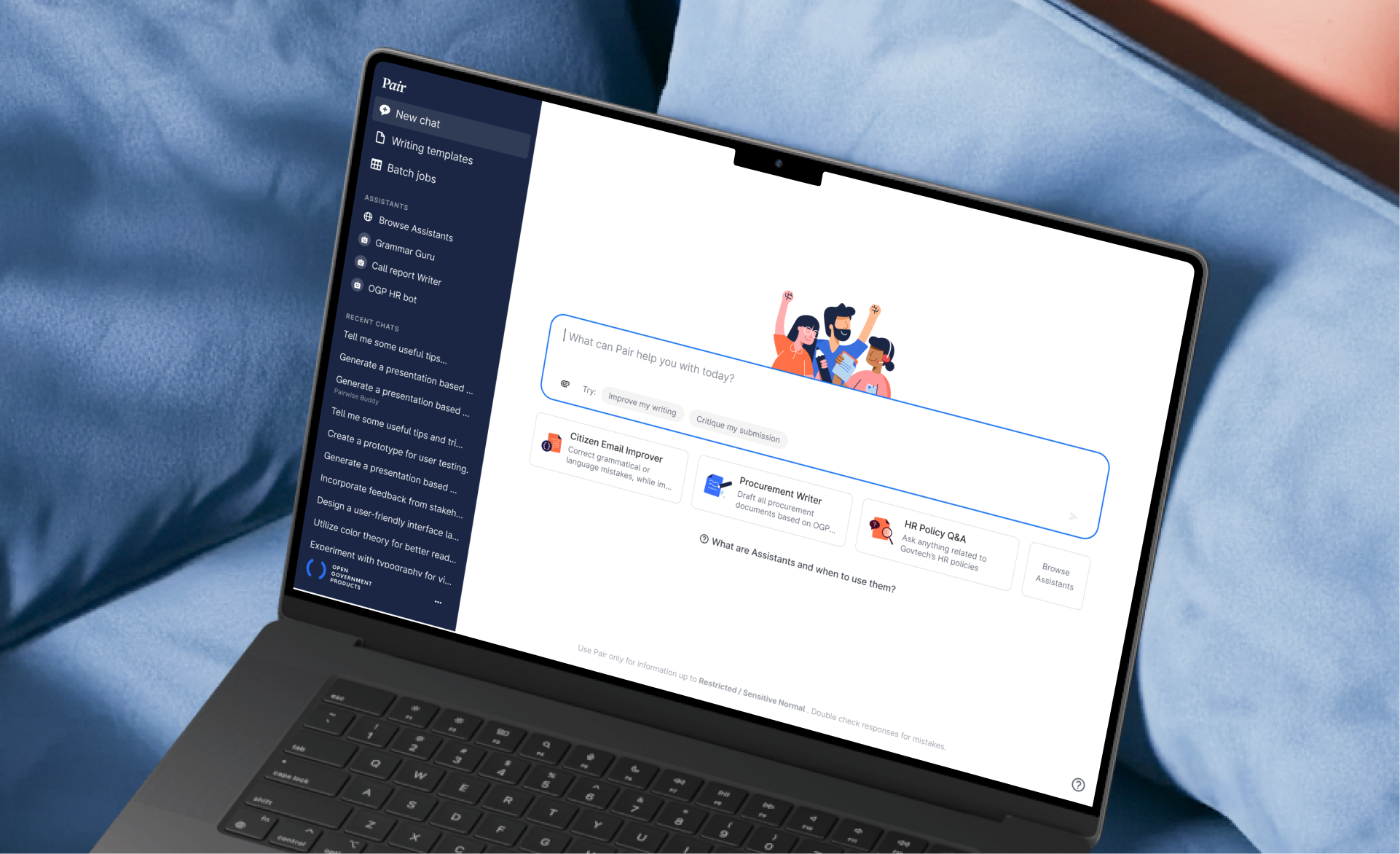
Pair Chat gave government officers secure AI access. It was a hit. But we saw opportunities to go further for our officers: designing features that match how officers actually work, not just giving them a chatbox.
85.3k
monthly active users
82
mins saved per task
70%
of public service using Pair
Role
Senior Product Designer (Sole Designer)
End-to-end design, user research, prompt engineering, prototyping
Team
3 Engineers, 1 PM, 1 Product Ops
Timeline
2023–2025
Context
Chat worked. But some government tasks needed more.
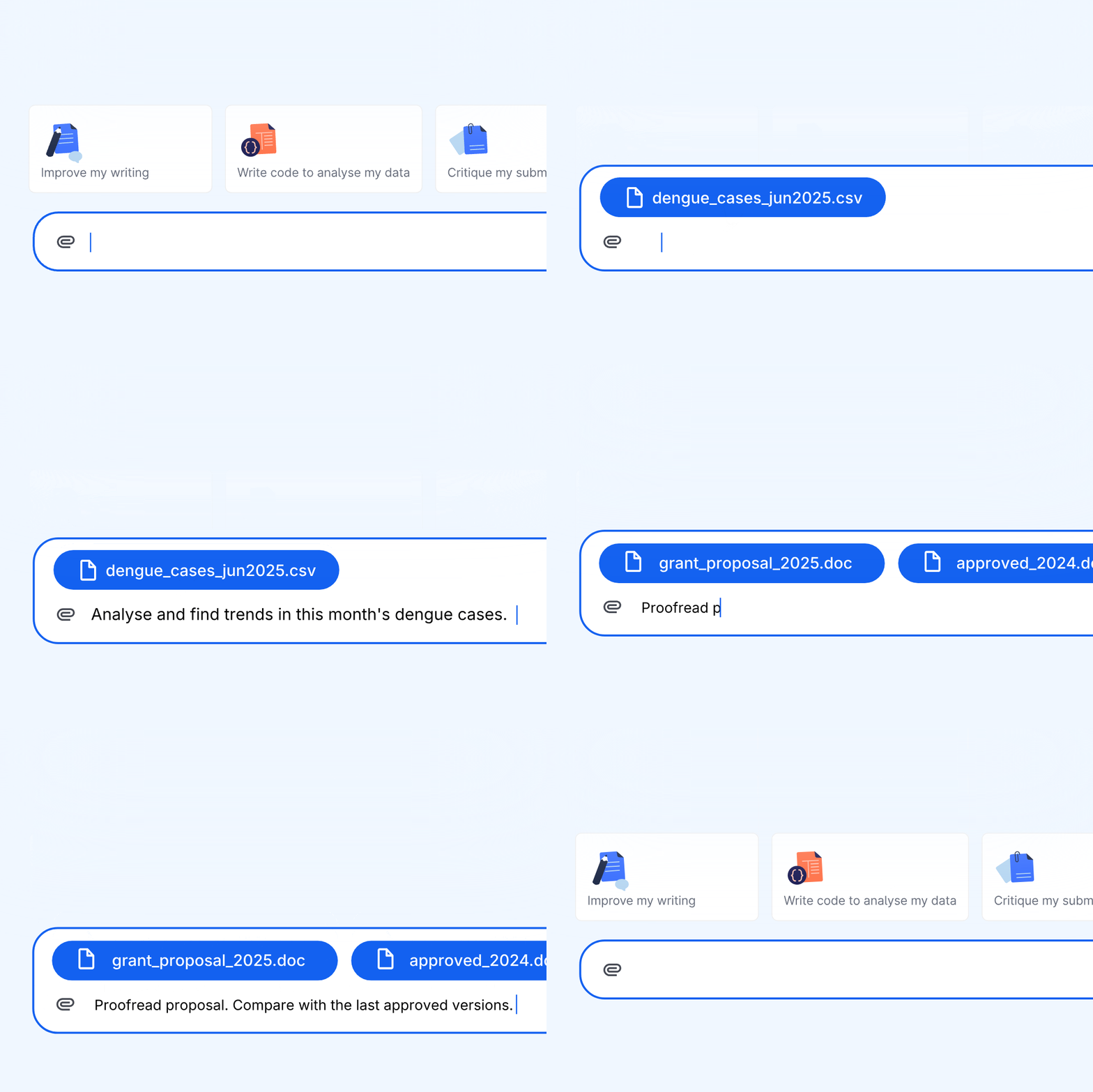
Officers loved Pair Chat for quick questions and brainstorming. But for core government work (submissions, speeches, reports, repeated admin tasks), chat fell short: prompting was hard, outputs were inconsistent, and context was lost between turns.
How might we go beyond chat to design AI that fits how government officers actually work?
How might we go beyond chat to design AI that fits how government officers actually work?
Research
Two types of tasks where chat was insufficient
16 sessions with officers gave us a map of common government tasks and revealed two distinct types that needed different interaction models beyond chat.
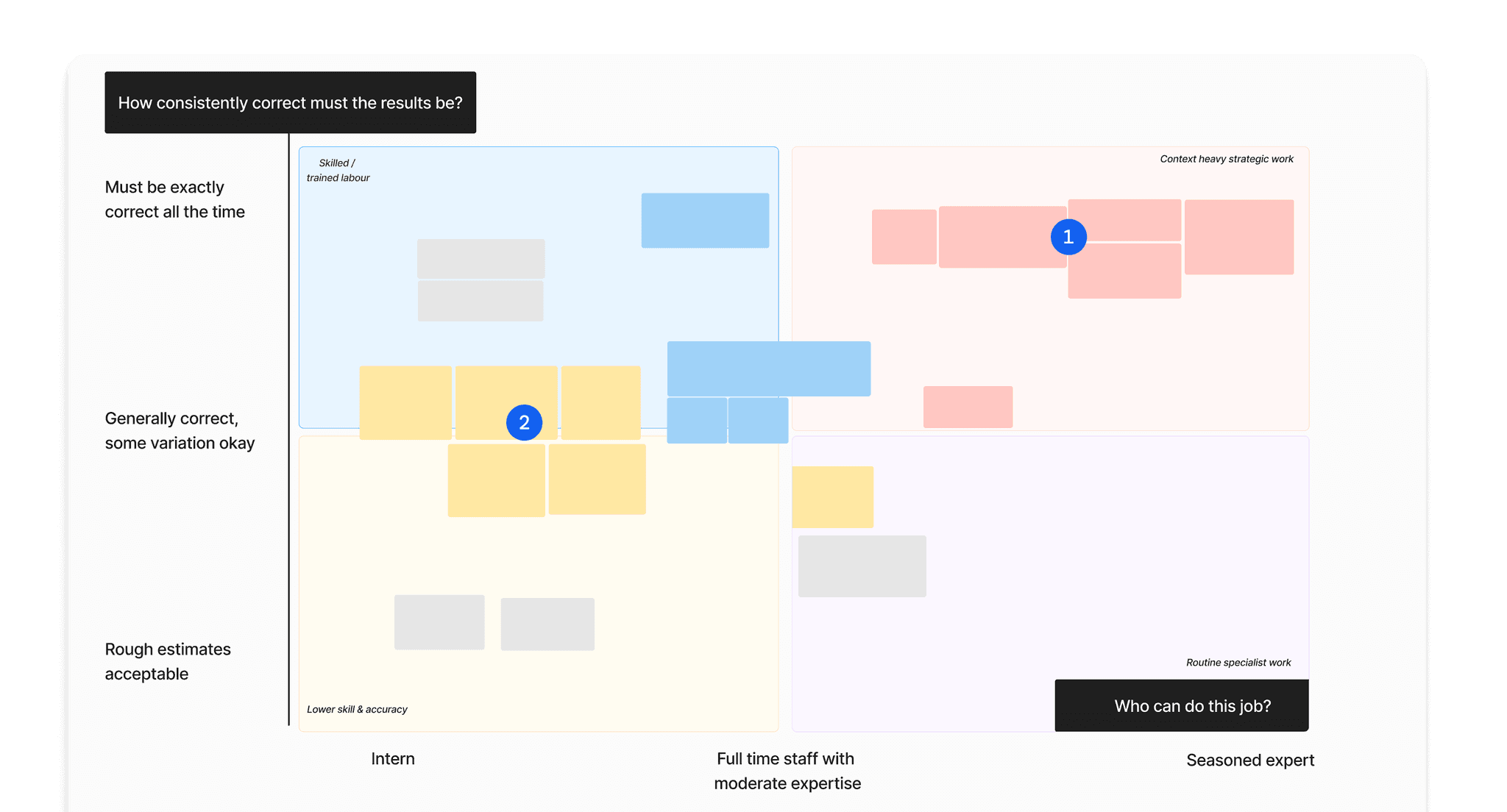
Task Type 1 → Writing Templates
Structured document drafting
Submissions, speeches, and reports requiring precision and iteration. Chat made targeted editing painful.
Task Type 2 → Assistants
Repeated, context-heavy tasks
Teachers with classroom admin, doctors checking guidelines, HR answering the same policy questions. Hours of busywork, same patterns every time.
Feature 1
Writing Templates
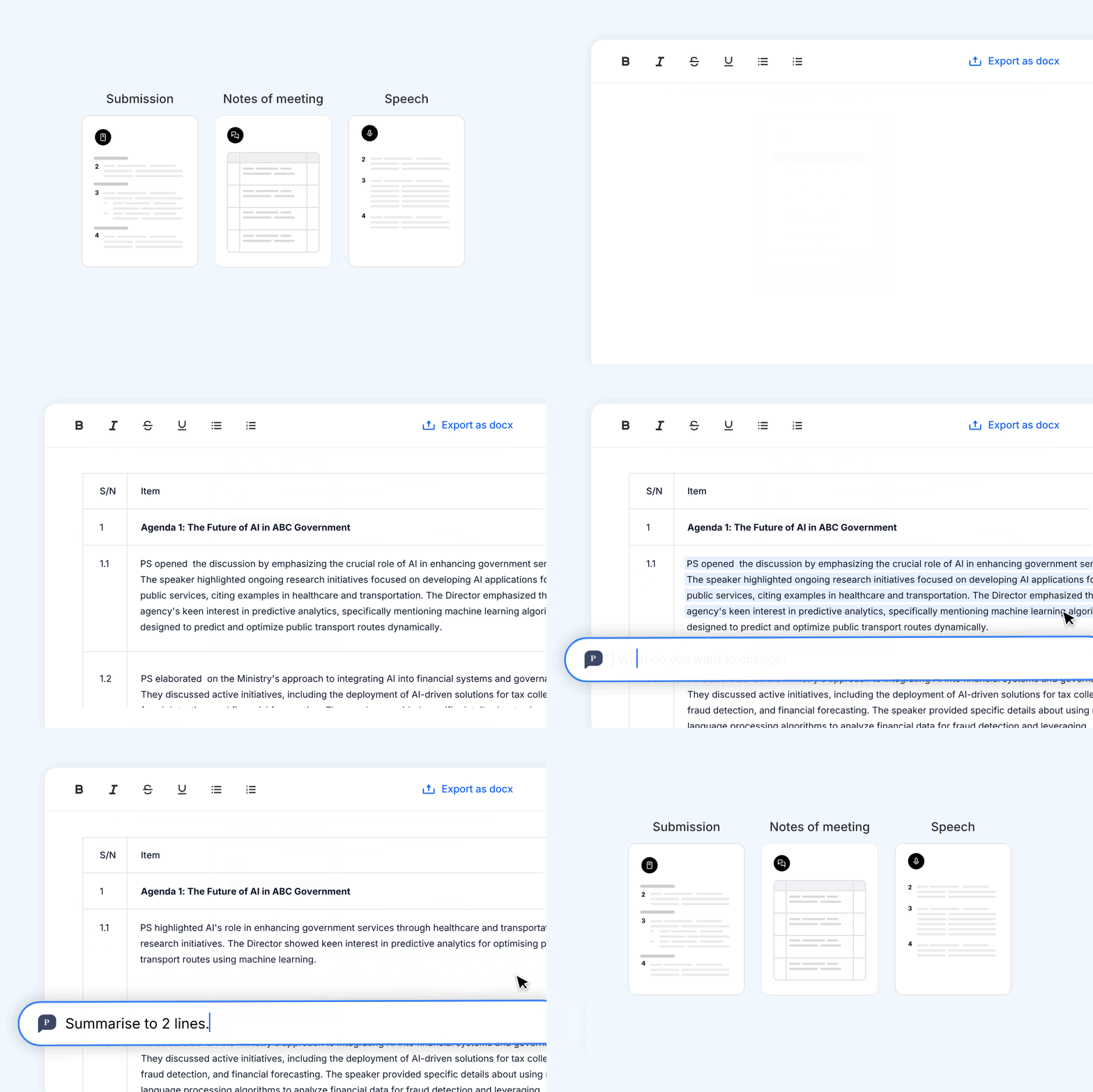
Government-quality drafts without prompting. Edit directly, like officers already do.
Problem: Chat failed for structured documents: prompting was difficult, targeted edits required excessive copy-pasting.
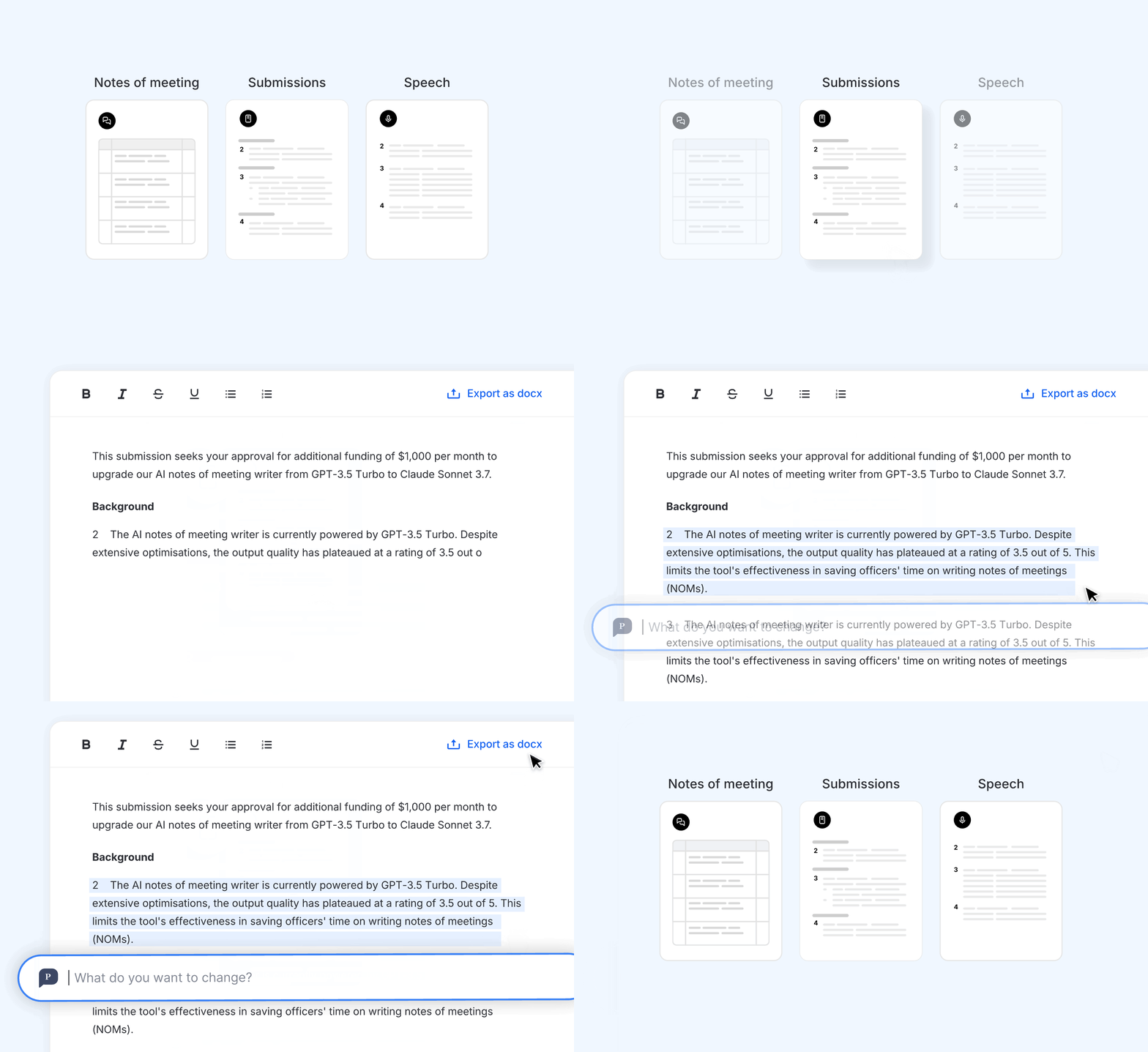
Prototype Testing
Built a prototype to test my hypothesis: officers need government-quality drafts that they can edit directly.
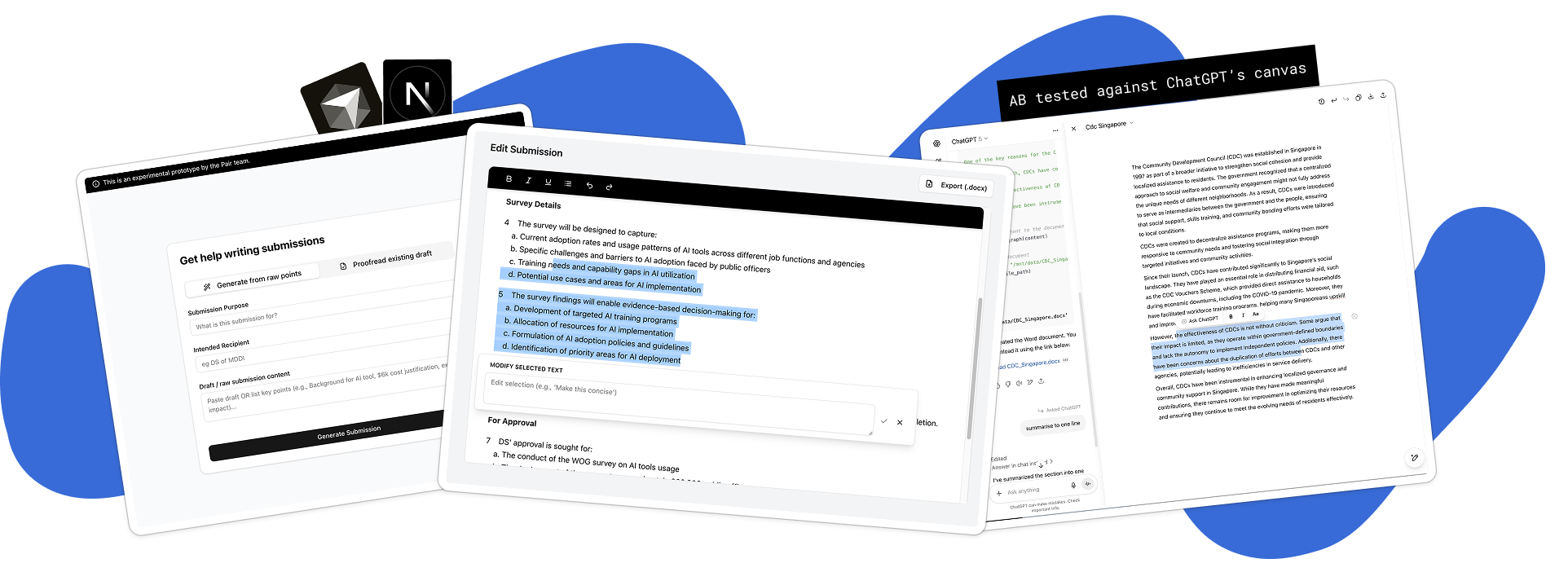
Key Interface Decisions
Form fields replaced open-ended prompting.
Officers didn't know what to prompt for government documents. I researched government writing standards, defined quality benchmarks, and iterated on prompts until outputs met them. Structured fields guide officers through required inputs.
Inline suggestions replaced full regeneration.
Accept/reject on granular suggestions, mimicking how officers already review each other's work. No wrestling with follow-up prompts.
Targeted edits preserve document integrity
Officers could refine specific sections without losing overall structure or context.
Feature 2
Assistants
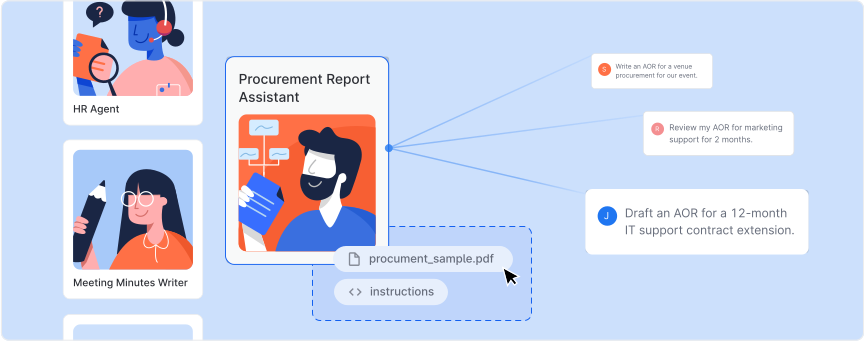
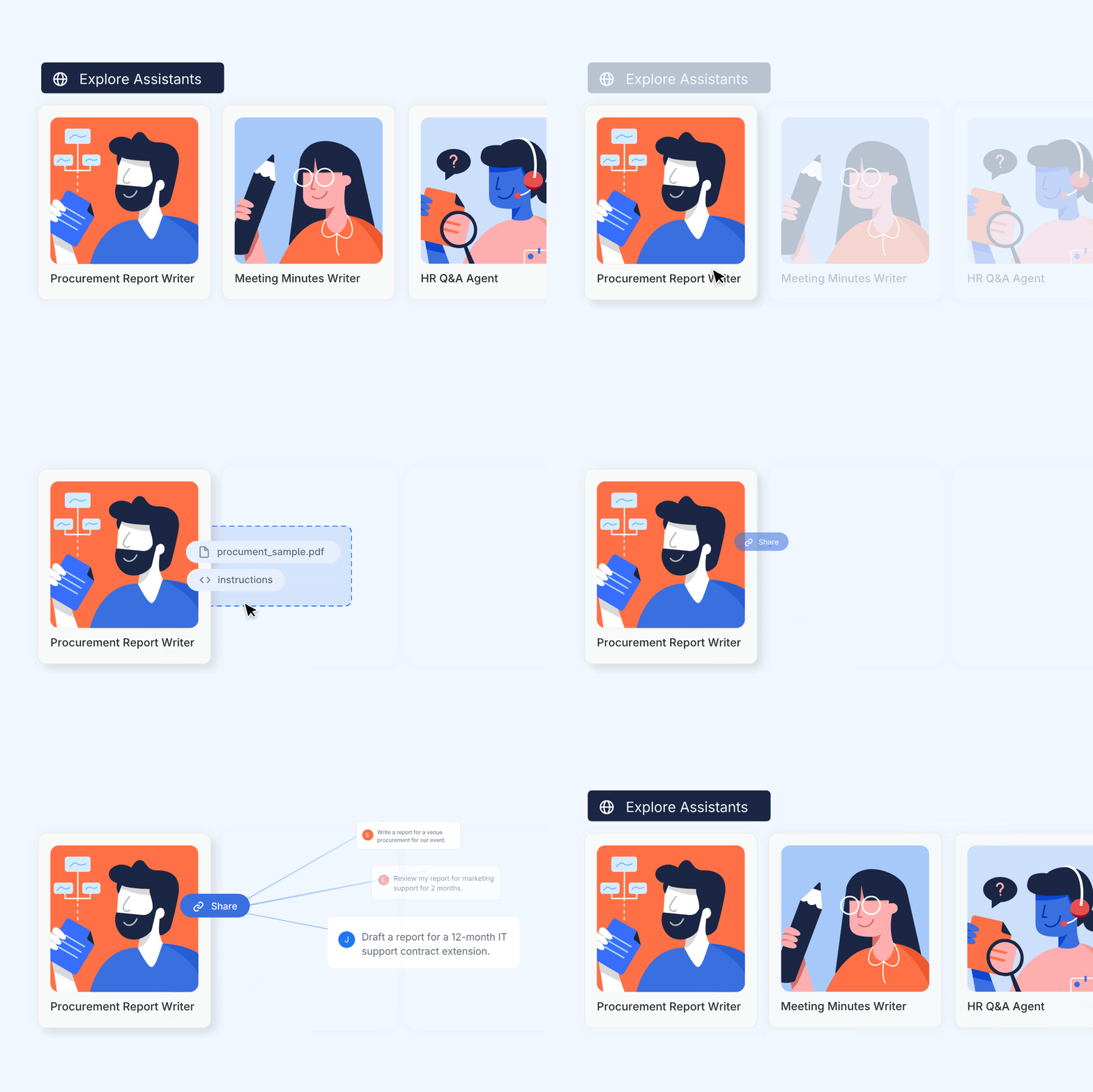
No-code specialized AI chatbots. Set up once, share across your teams, use forever.
Problem: Officers had repetitive tasks taking hours. These time pressed officers needed a way to automate their busywork easily.
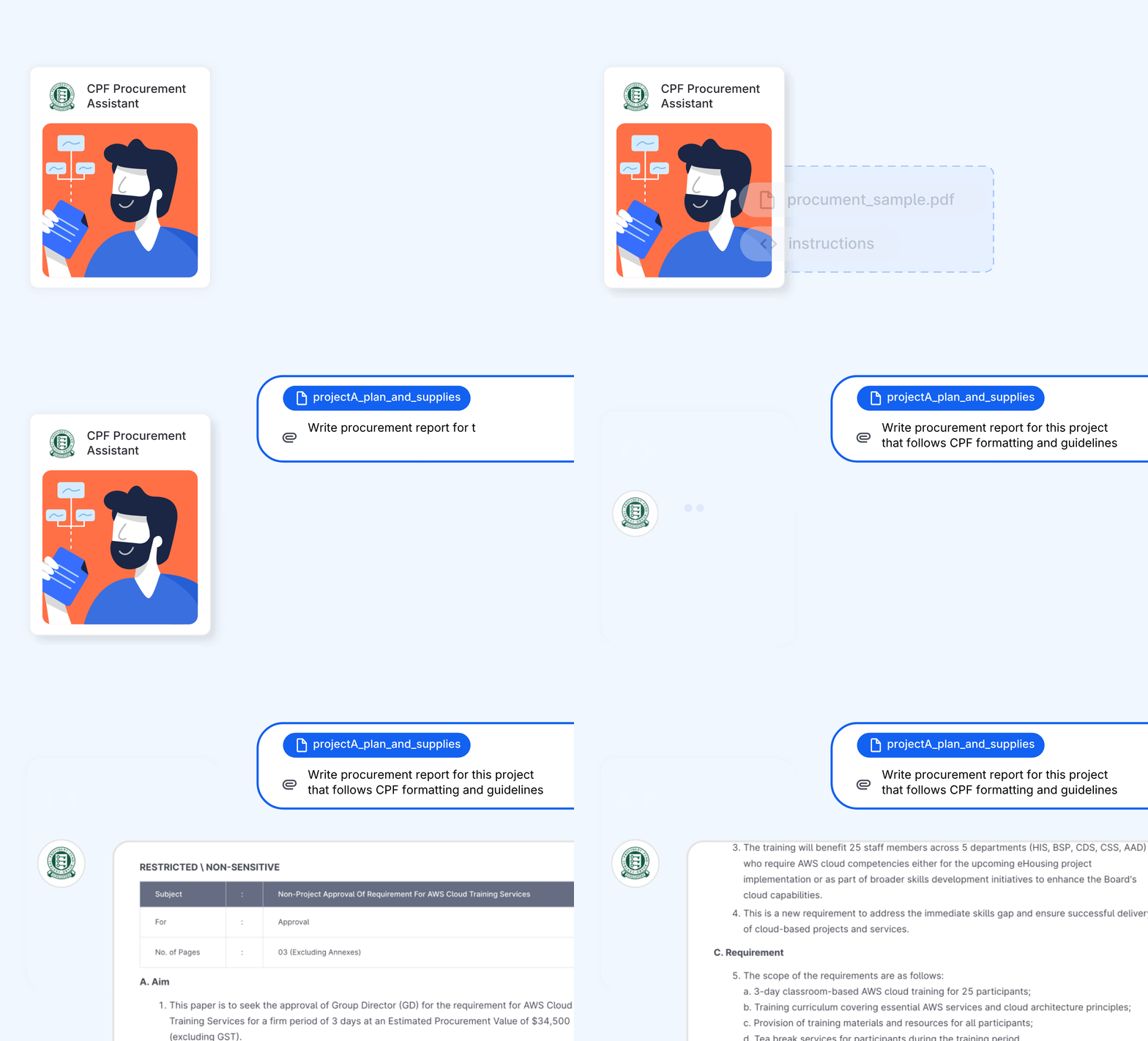
Key Interface Decisions
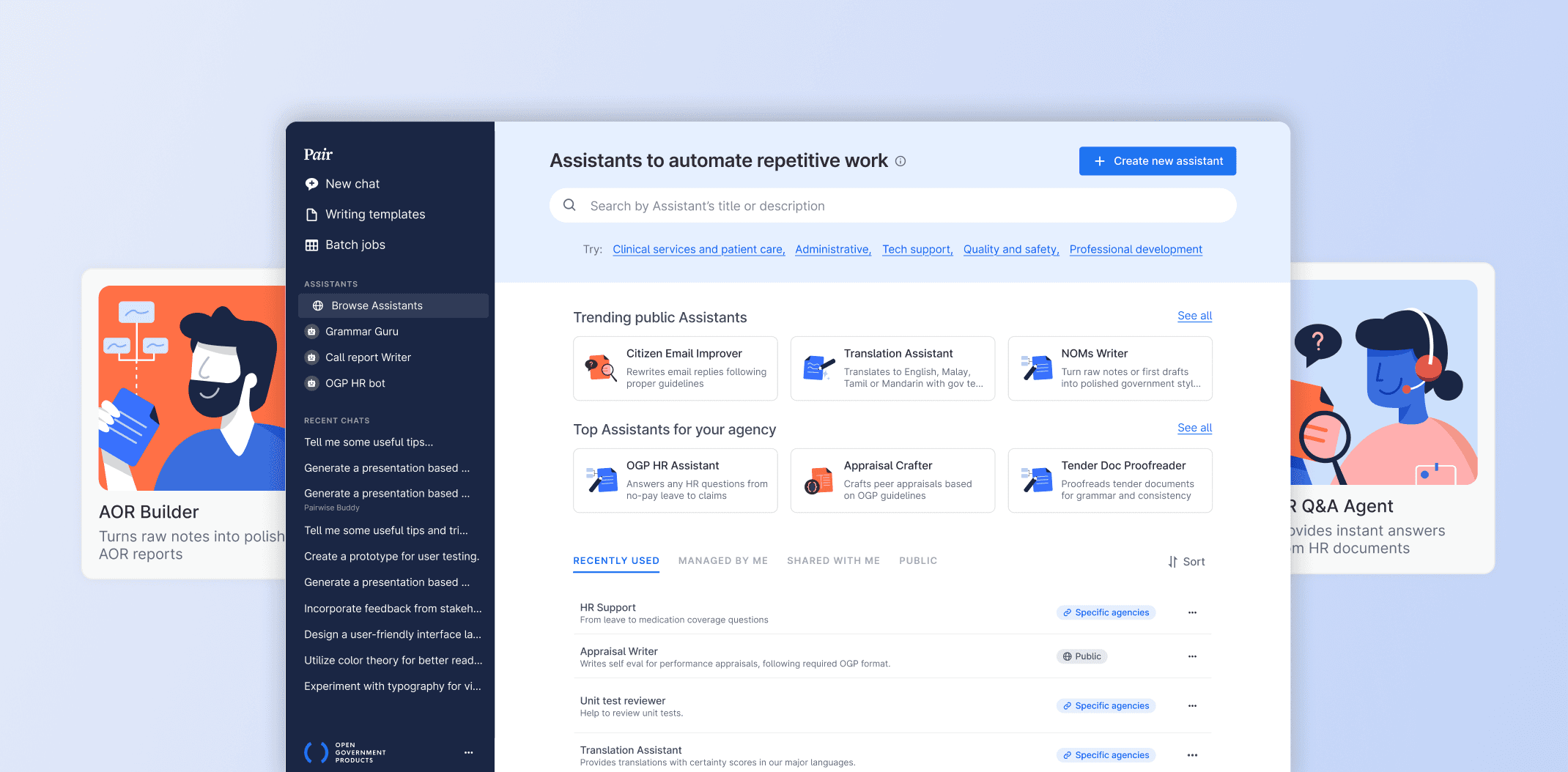
A marketplace of available Assistants for common pain points
Officers couldn't see the value without trying something relevant first. Pre-built Assistants for common pain points got 11,300 users to experience immediate value, which spurred organic creation of agency-specific Assistants.
Describe in plain English, get a solid first draft
Non-technical officers found blank prompt boxes intimidating. Natural language input produced solid first-draft instructions, raising Assistant quality across the board.
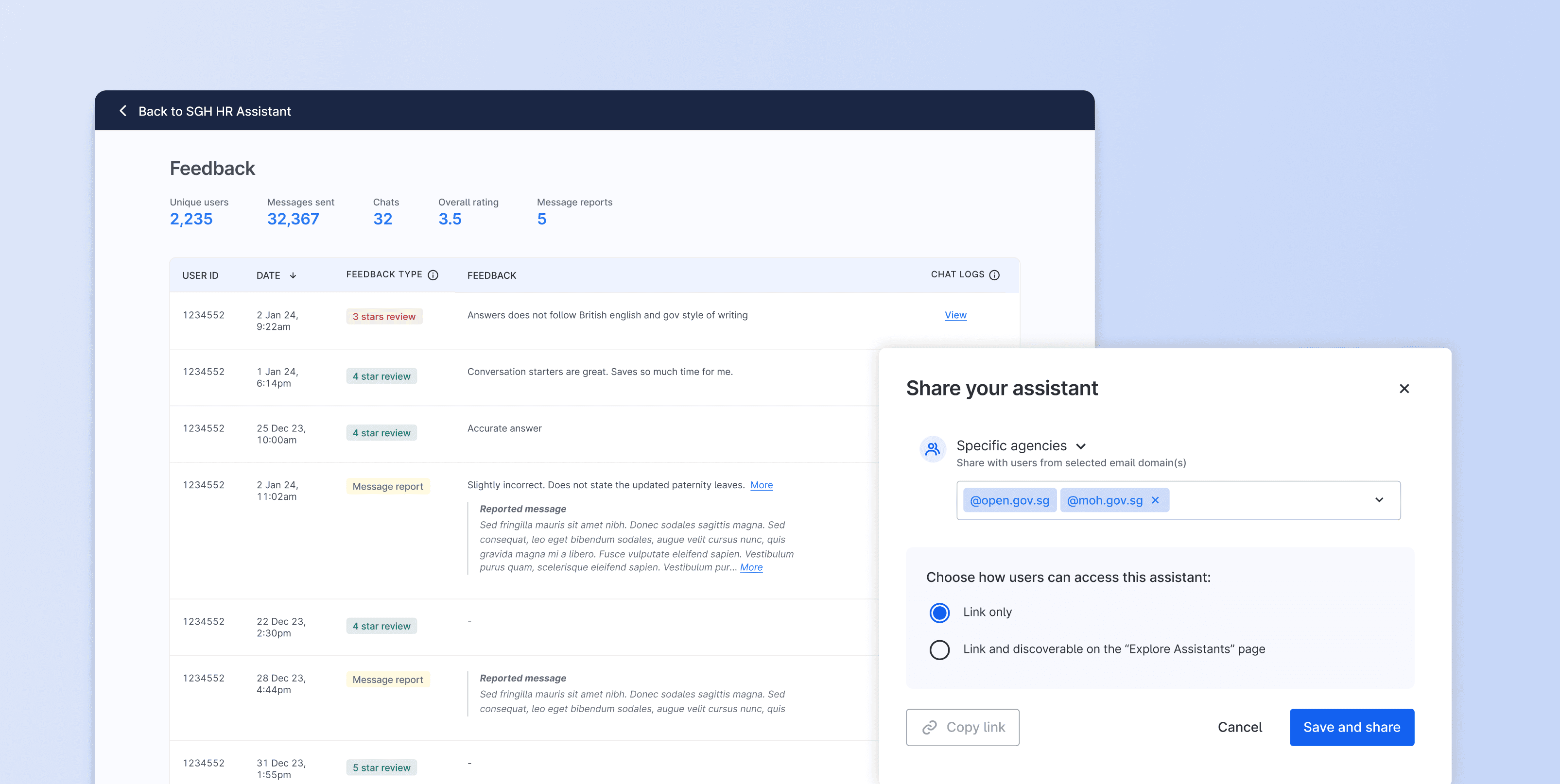
Management features gave creators ownership and feedback
Usage stats, feedback, and conversation logs let creators iterate based on real patterns instead of guessing.
Impact
Assistant deployed across agencies
SGH Doctors
200-page antibiotic manual → 5-minute search. 90% more time for patient care.
Teachers
150 teachers drafting student reports. 1,300 quiz generations with Kahoot export.
Hospital staff
5,600 uses for patient arrivals and emergencies. Work sped up 5x.
Reflections
Same LLM, different interaction models
Chat works for quick questions. Documents need document UI. Repeated tasks need assistants. The AI is the same - the interface shapes utility.
Adoption happens through peers
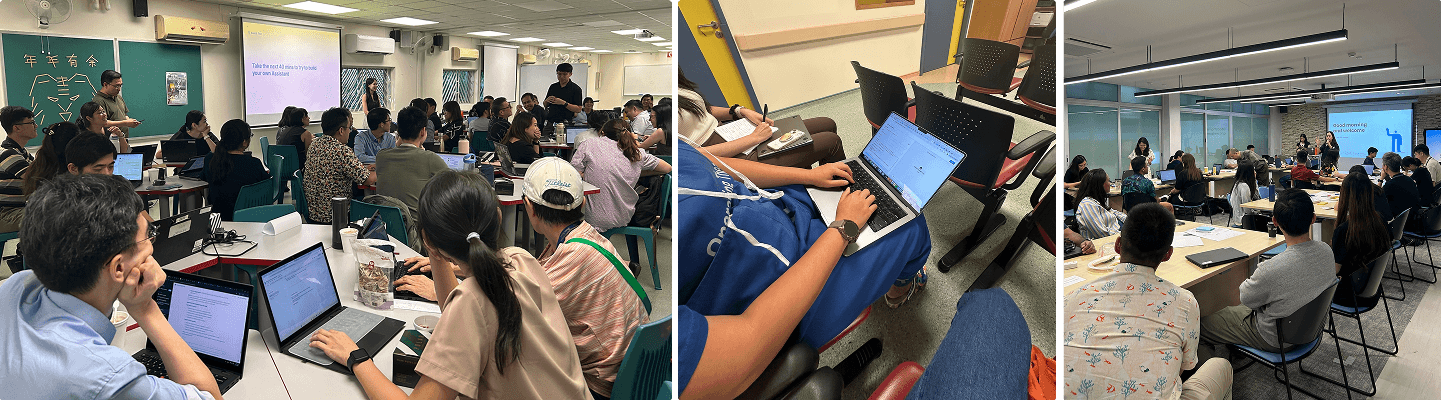
Real 'aha' moments came from officers seeing colleagues solve shared problems. Workshops and hands-on support led to organic spread.
Prototype before you build
Testing the document UI with a coded prototype validated the interaction model with real users and saved months.
Next steps: Weave features together
Users shouldn't think about which tool to use. Next step: intelligent routing that surfaces the right feature based on the task.
Growing up, I learnt that a warm bowl of noodles and cut fruits is a language of care. So here's some virtual care from me to you, and thank you for stopping by!